Reports
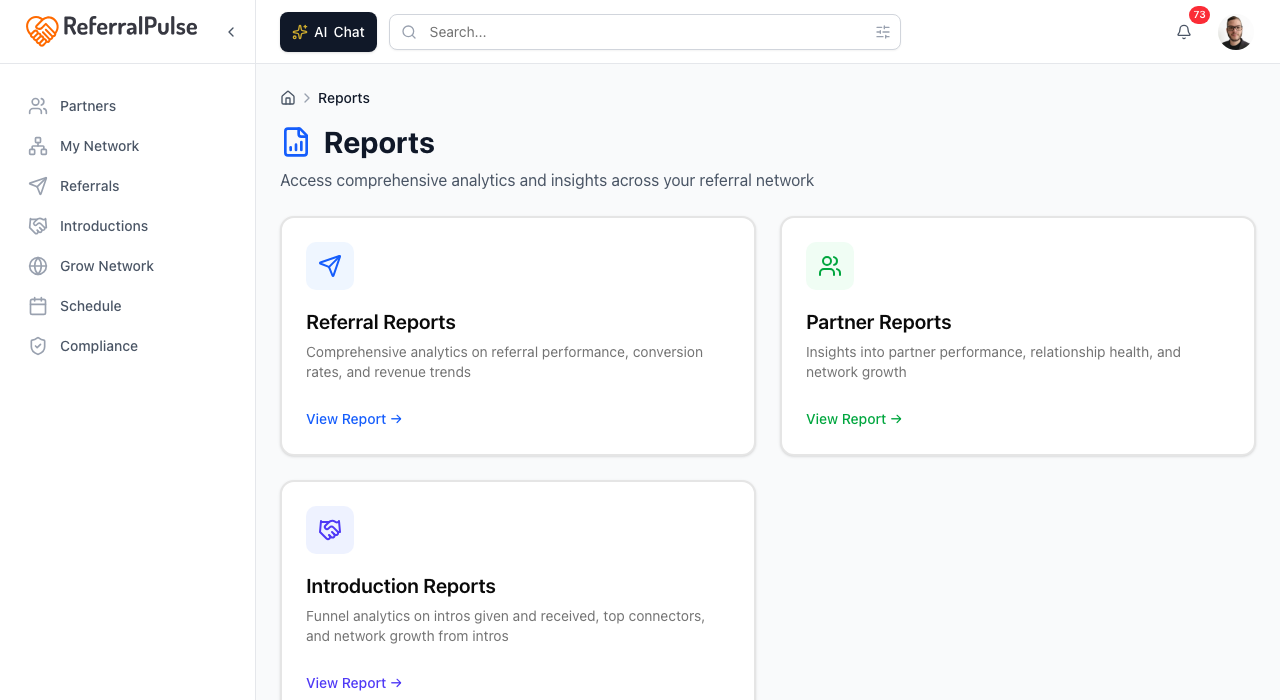
Reports is where the numbers live. Three reports cover the three things ReferralPulse tracks: referrals, partners, and introductions. Each one is the deep view, with a year of trend data and the breakdowns you'd want before a quarterly review or a Provisors group conversation.
Where to find it
Where to find it: Top right avatar → Reports. Direct URL: /dashboard/reports. The hub page lists three large cards, one per report. Click a card to open that report.
Methods
Open Referral Reports
Where to find it: Reports → Referral Reports card.
The deepest report. Built around the question "how is my referral pipeline doing." Sections from top to bottom:
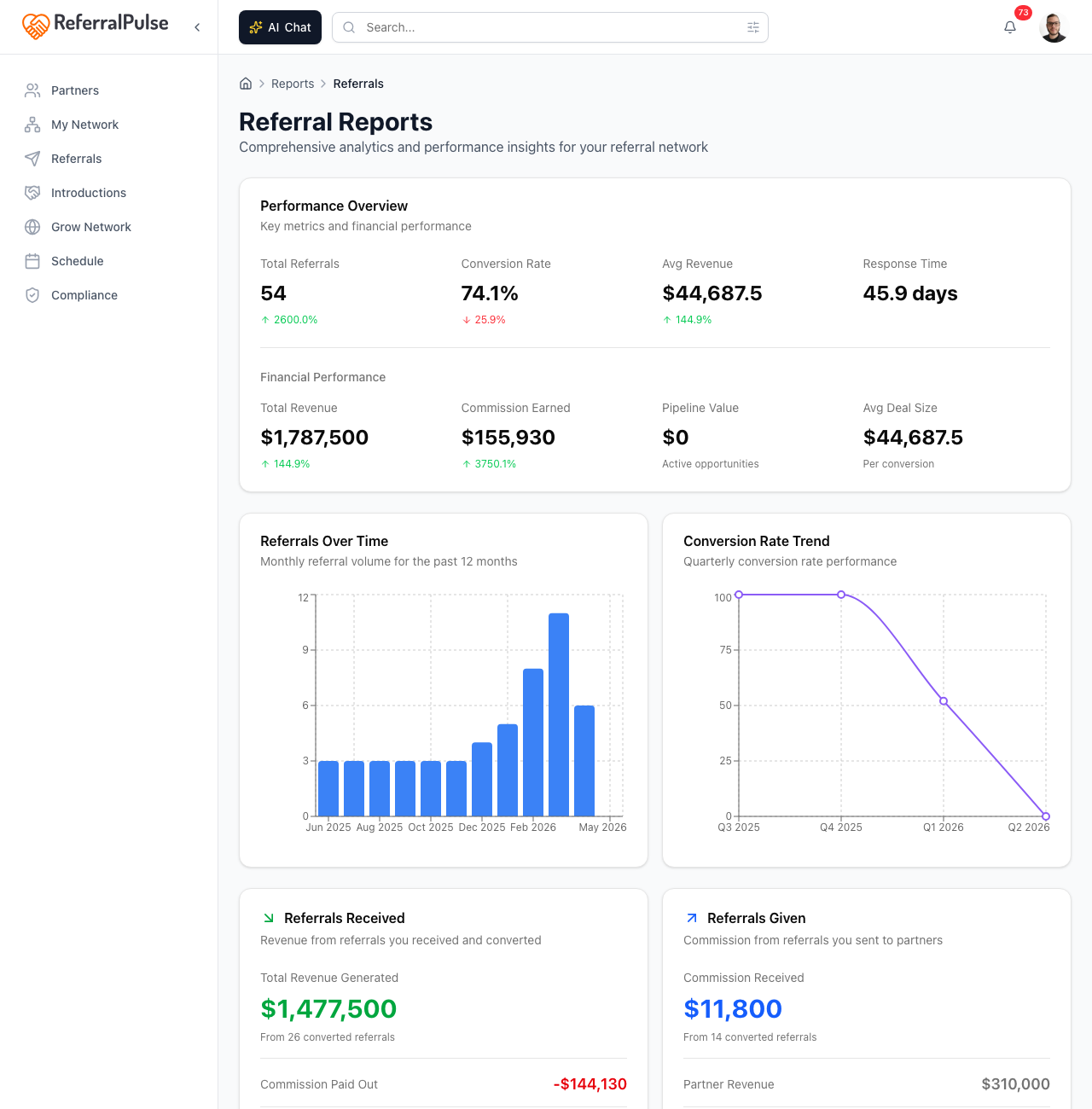
- Performance Overview. Four headline numbers (Total Referrals, Conversion Rate, Average Revenue, Average Response Time) with a colored arrow showing the change versus the prior period.
- Financial Performance. Total revenue, total commission earned, total potential value, and average deal size. Includes a time-series chart of revenue, commission earned, commission paid, and net profit by month.
- Received vs Given Breakdown. Splits the revenue and commission flows so you can see which side of your network is doing the work.
- Conversion Funnel. Counts at each stage (sent, acknowledged, contacted, meeting scheduled, proposal sent, won) with drop-off percentages.
- Risk and Opportunity Analysis. Stalled referrals (no movement in a while) and at-risk dollar value, broken down by stage.
- Quality Metrics. Average time to conversion, average deal age, average response time, plus your best and worst months by conversion rate.
- Top Referrers. The partners who've sent you the most referrals, with their conversion rate and total revenue contribution.
The Risk and Opportunity Analysis section is the one to read on a Monday morning. Stalled referrals are the deals most likely to slip without a nudge, and the at-risk total tells you the dollar value at stake.
Open Partner Reports
Where to find it: Reports → Partner Reports card.
The same shape, but for your network instead of your pipeline. Sections include:
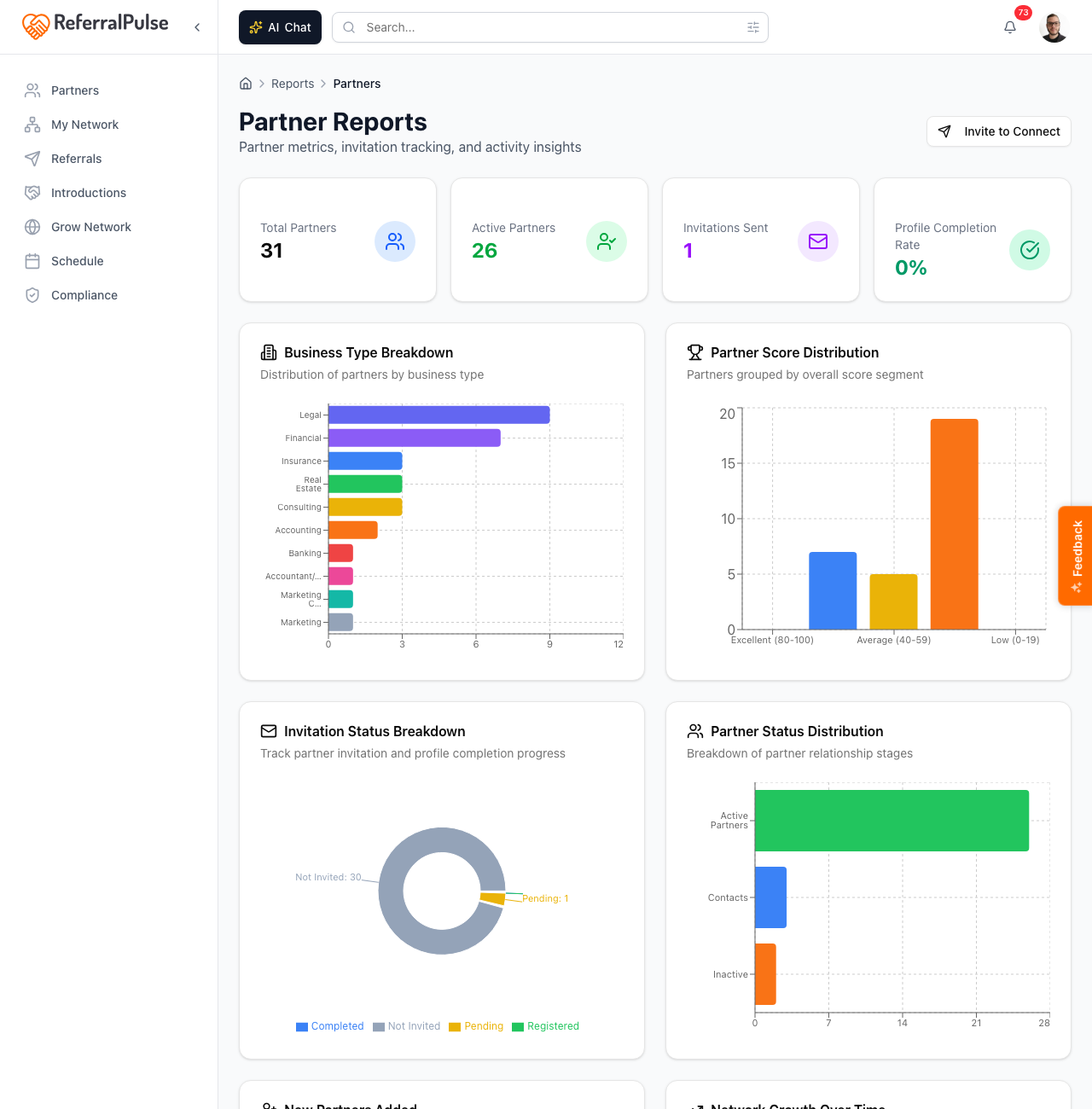
- Partner counts by status: Active Partners (people you regularly exchange referrals with), Contacts (people you've added but haven't activated), and Inactive Partners.
- Invitation stats. How many partners you've invited, how many have accepted, and how many are still pending.
- Network Growth. A 12-month chart of partners added per month, with a cumulative running total.
- Industry Breakdown. A pie chart of your network by type of business. Useful for spotting gaps (no estate planning attorneys?) and over-concentration (16 financial advisors?).
- Partner Ranking Distribution. A histogram of where your partners fall on the assistant's overall ranking, in five buckets.
- Activity categories. High-value, dormant (no contact in over 90 days), new (added in the last 30 days), and imbalanced (referrals flowing mostly one direction).
- Recent invitations. A table of partners you've invited recently, with their current invitation status and when they joined if they accepted.
The Imbalanced category is where the personal-relationship work is. A partner who sends you five referrals while you've sent them zero is a relationship at risk, and the report names them. Set a calendar reminder to fix it.
Open Introduction Reports
Where to find it: Reports → Introduction Reports card. The card actually links to Introductions Insights, which is the same surface reachable from the Introductions section in the sidebar.
The funnel-and-network view of intros made and received:
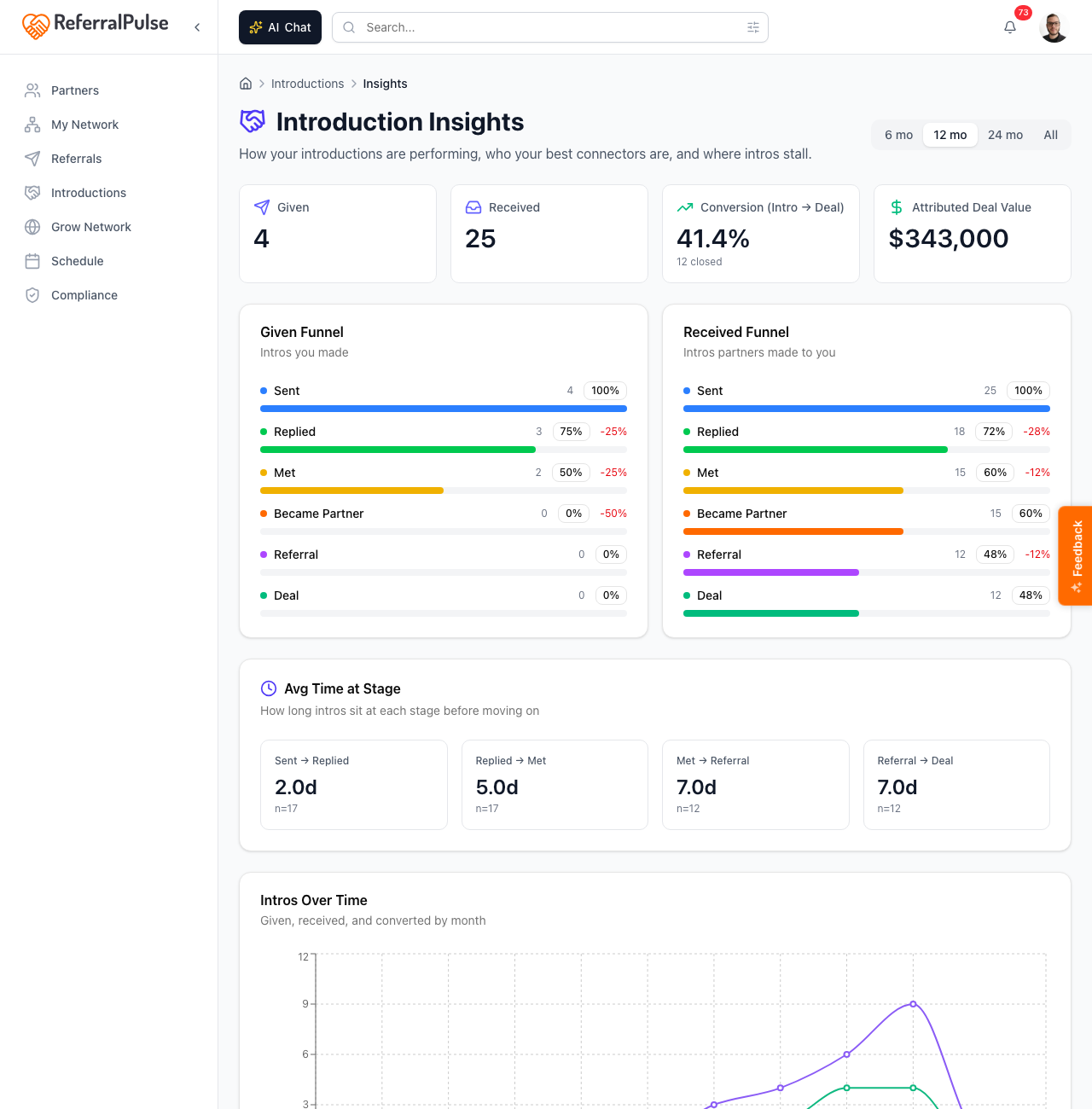
- Funnel. Intros made, of those how many became booked meetings, of those how many closed as a real engagement. Drop-off shown at each stage.
- Stage timing. Average days at each stage so you can see where intros stall.
- Top connectors. Partners who've made the most successful intros into your network, with the count and total value contributed.
- Intros over time. Stacked bar chart by month, split into given and received.
- Network growth from intros. How many new partners you added because of an intro versus other channels.
If introductions are central to how you build your network, this is the report to share with your team in a quarterly review. The top-connector list is the part that surprises people, the partners who matter most are usually not the ones you'd guess off the top of your head.
Get more out of your assistant
The reports above are the static view. For ad-hoc questions, talk to your assistant directly. It can answer questions the report pages don't expose:
- "Which partners haven't sent me a referral this year?"
- "What's my conversion rate on referrals from CPAs versus from attorneys?"
- "Show me the deals over fifty thousand that are still open."
The assistant runs each question against your live data and answers in plain English with the specific records pulled out. Reports are best for pattern-spotting, the assistant is best for one-off questions.
On the iOS app
Where to find it: Bottom navigation → Profile tab → Reports, or ask your assistant.
On iOS the reports render in a stacked, mobile-friendly layout. Most users open them less often on phone. The faster path is to ask your assistant in the Chat tab. Saying "How am I doing this quarter" usually surfaces the headline numbers without you having to navigate.
The reports load fresh on each visit. If you log a referral or update a status and want to see it reflected in the numbers, give it a few seconds and refresh.